
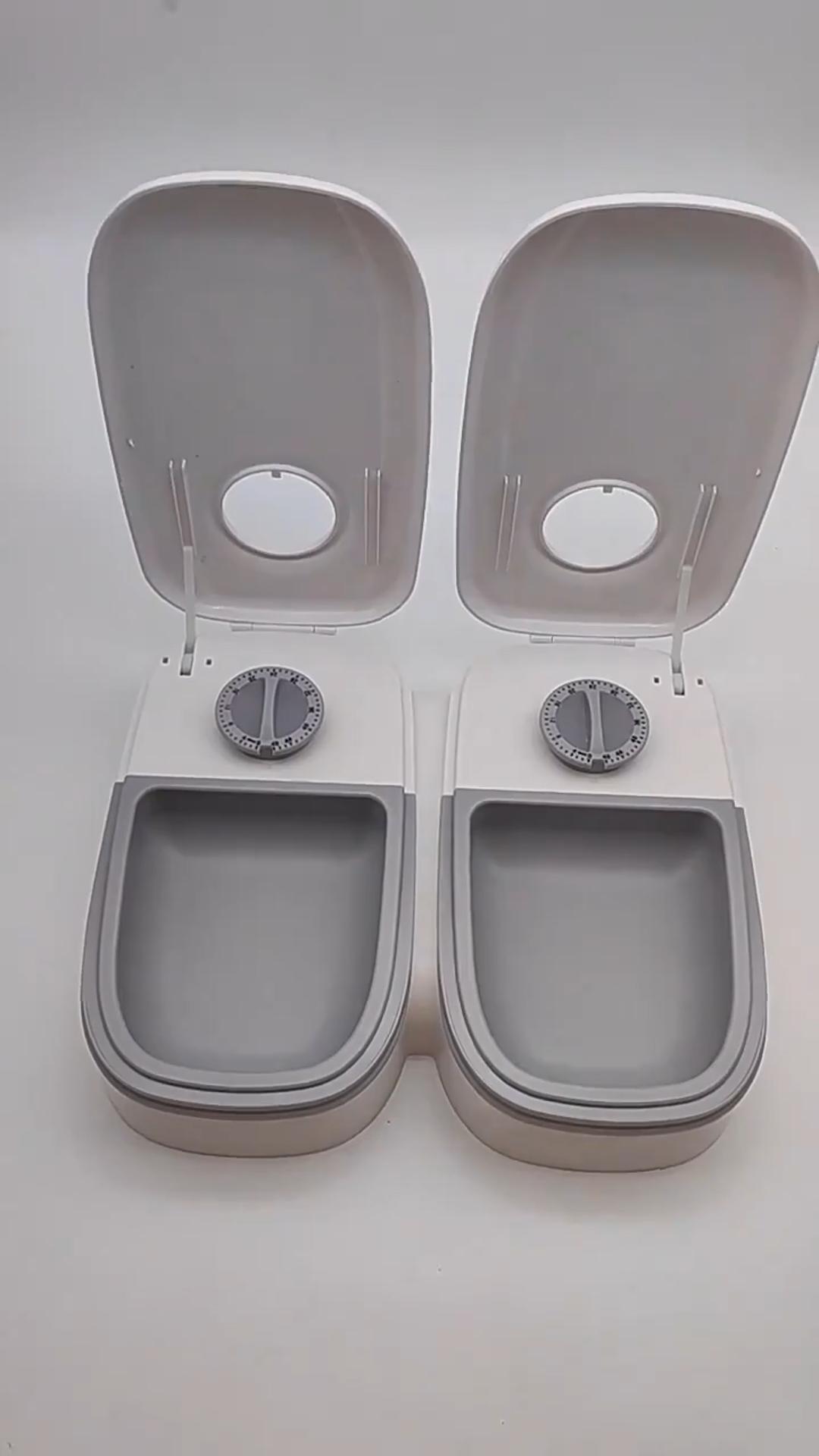
If you’re setting up a feeding station and keep landing on two very different kinds of products — a plain hopper that refills a bowl by gravity, and a WiFi-connected unit with an app and a camera — the real question usually isn’t “which automatic feeder is best.” It’s simpler than that: do you need the power and the app at all?
PawNest carries both ends of that spectrum. The 2-in-1 Gravity Pet Food & Water Feeder Set runs on nothing but gravity — no batteries, no timers, no app. The Smart WiFi Automatic Pet Feeder with App Control sits at the other end, with scheduled portions, app control, and an optional camera. Here’s how to figure out which one actually solves your problem.
What “gravity feeder” and “automatic feeder” actually mean
A gravity feeder is mechanically simple: a sloped hopper holds a reserve of food or water above a bowl, and as your pet eats or drinks, more slides down to refill the bowl automatically. There’s nothing to plug in, charge, or configure. The trade-off is that a gravity feeder has no concept of “portion” or “schedule” — it just keeps the bowl topped up as long as the hopper has supply in it.
An automatic feeder uses a motor and a timer (and, on WiFi models, an app) to dispense a set amount of food at set times. That gives you control over how much and when, at the cost of needing power, and on connected models, a WiFi network.
When a gravity feeder is the better choice
A no-power setup like PawNest’s gravity set makes the most sense when:
- Your pet grazes rather than gorges. Many adult cats and some dogs naturally eat small amounts throughout the day and stop when they’re full. For those pets, a constantly-topped-up bowl isn’t a problem.
- You want zero technology to manage. No WiFi band to check, no app to install, no firmware, no batteries that die at the wrong time.
- You need a backup or second station. Even households with a scheduled automatic feeder sometimes keep a gravity set as a backup water source, or as a second food-and-water point on another floor.
- Budget matters. At $34.99, the gravity set covers both food and water in one unit — well under the cost of a single powered feeder.
- You’re arranging care for a short trip. A pet sitter or neighbor checking in doesn’t need to learn an app; the gravity set just works the way a normal bowl does, with more reserve capacity.
When it’s worth paying more for an automatic feeder
A scheduled, powered feeder earns its higher price when:
- Your pet needs portion control, not just availability. If unlimited access to food leads to your pet eating more than it should, a gravity feeder actively works against you — it has no way to stop supplying food. A timed feeder that dispenses a set amount and then stops is the right tool here.
- You want several small meals spread across the day rather than one or two large ones, and you’re not always home to serve them.
- You want to check in remotely. The Video version of PawNest’s smart feeder adds a camera so you can see your pet at feeding time, not just confirm the bowl was refilled.
- You have specific timing needs — for example, keeping meals consistent even when your own schedule isn’t.
If you’re set on the automatic route, PawNest’s full automatic feeder and water dispenser buying guide goes deeper on the differences between the WiFi/Video smart feeder, the simpler viewing-window feeder, and the combo feeder-and-water station.
The real trade-offs of going gravity-only
A gravity feeder isn’t a lesser version of an automatic one — it’s a different tool, with its own limits worth knowing before you buy:
- No portion control. If your pet will eat whatever’s in front of it, a gravity hopper that keeps refilling can work against a healthy weight rather than for it.
- Dry food only. Gravity systems are built for kibble and water, not wet food, which shouldn’t be left sitting out for extended periods regardless of the feeder type.
- Less separation between pets. In a multi-pet household, a shared gravity station doesn’t stop a faster or pushier animal from eating more than its share — the same limitation automatic feeders have unless you use separate units.
- No away-from-home visibility. There’s no app or camera to check remotely; you’ll know the hopper is running low only when you look at it in person.
The real trade-offs of going automatic
The features that make an automatic feeder useful come with their own costs:
- Higher upfront cost. PawNest’s smart WiFi feeder runs $219.99 versus $34.99 for the gravity set — a meaningful jump if you’re outfitting more than one pet.
- Power dependency. A dead battery, an unplugged cord, or a power outage stops a scheduled feeder from feeding on schedule. A gravity feeder keeps working through all three.
- Network requirements on connected models. The App and Video versions of PawNest’s smart feeder need a 2.4GHz WiFi network specifically; if your home network is 5GHz-only, only the button-operated Key version will work without any network at all.
- More parts to clean and maintain. Motorized dispensing mechanisms have more crevices and components than a simple hopper and bowl.
Can you use both?
Plenty of households do. A common pattern is running a scheduled automatic feeder for food — where portion size and timing actually matter — while using a gravity setup for water, since water doesn’t need scheduling logic the way food does. Another is keeping the gravity set on hand as a backup: if the power goes out or the app-connected feeder has a WiFi hiccup, a filled gravity hopper keeps food and water available without any troubleshooting. It’s also a practical choice for the room or floor where you don’t want to run a second powered unit at all.
A quick way to decide
- If your pet self-regulates and you want the simplest, cheapest setup: start with the gravity feeder set.
- If portion control or a firm schedule matters more than simplicity: go with the WiFi automatic feeder.
- If you’re not sure yet: the gravity set is the lower-risk way to try automating your feeding setup, since there’s no app or network to commit to, and it can still serve as a backup later if you upgrade.
FAQ
Will a gravity feeder overfeed my pet?
It can, if your pet doesn’t self-regulate around a constantly available bowl. A gravity feeder supplies food whenever the bowl runs low, with no built-in limit on daily amount. If your pet tends to eat past the point of being full, a portioned, scheduled feeder is the better match.
Can I put wet food in a gravity feeder?
No. Gravity feeders are designed for dry kibble and water, which can sit safely for longer periods. Wet food shouldn’t be left out for extended stretches in any type of feeder.
What happens to an automatic feeder during a power outage?
A scheduled feed won’t trigger without power, and app-connected models won’t be reachable if your WiFi is down. This is one of the main reasons some households keep a gravity feeder on hand as backup.
Is either type good for multiple pets?
Not on its own. Neither a shared gravity station nor a single automatic feeder can reliably stop one pet from eating another’s portion. For multi-pet homes with different diets or portion needs, separate feeding stations (of either type) or supervised mealtimes work better than one shared unit.
Do I need WiFi for the gravity feeder?
No. The gravity set has no electronic components at all — it works purely by gravity feeding food and water into the bowls as your pet uses them.
Setting up the right feeding station
Neither option is objectively better — a gravity feeder and a scheduled automatic feeder solve different problems, and plenty of pets do fine on either one. Think about whether your pet needs portion control or just needs the bowl kept full, and let that answer decide. You can browse PawNest’s full Food category and Feeding category to compare every option side by side, including the water-only and combo units mentioned above.